A cable internet plan and a fiber plan can both advertise 500 Mbps downloads, yet feel quite different when someone uploads a work file, joins a video call, or plays an online game. That is why a useful cable vs fiber internet comparison goes beyond the biggest speed number on the sales page.
For U.S. households, fiber often has an advantage in upload speed and latency, while cable broadband remains a capable, widely available choice. Neither is automatically the better deal at every address. The right answer depends on what the actual plans deliver, what they cost after promotions end, and how your household uses the connection.
What Actually Makes Cable and Fiber Different?
Cable internet typically uses a hybrid fiber-coaxial network: fiber carries data through much of the provider’s system, and coaxial cable handles the final connection to many homes. The technology commonly uses DOCSIS standards to move internet traffic over that coaxial infrastructure.
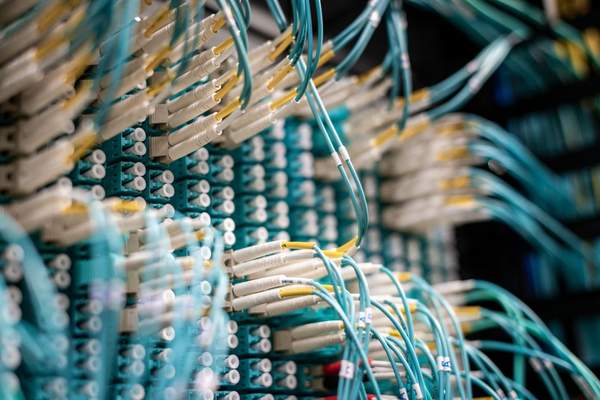
Fiber-to-the-home internet uses optical fiber all the way to the residence. Light carries the signal through the access network, rather than electrical signals over the final coaxial segment. Be careful with marketing language: a company describing its network as fiber-powered does not necessarily mean your home receives a direct fiber connection. Among internet connection types, the details of that last connection matter.
Download Speed: Often Closer Than You Expect
Modern cable plans can provide hundreds of megabits per second and, in many markets, gigabit-class downloads. Fiber providers commonly sell similar tiers, sometimes with multi-gigabit options. A 300 Mbps cable service can outperform a poorly configured 1 Gbps fiber setup on a device connected through weak Wi-Fi.
Upload Speed Is Often the Bigger Difference
Many traditional cable tiers have considerably slower uploads than downloads. A plan advertised at 500 Mbps down might offer only a fraction of that speed upstream. Fiber plans often provide symmetrical speeds, such as 500 Mbps for both downloading and uploading, although not every fiber package does.
Imagine uploading a 5 GB video project. At an uninterrupted 20 Mbps upload rate, the transfer takes about 33 minutes in ideal conditions; at 300 Mbps, about two minutes. Actual results vary, but the gap explains why creators, cloud-backup users, and households with frequent video calls should inspect the upload figure.
There is one important exception: upgraded cable networks are gaining faster upstream capabilities. Newer DOCSIS technology can support much more balanced service, so compare the offered plan rather than assuming every cable connection has slow uploads.
Latency, Gaming, and Video Calls
Latency measures the delay before data reaches its destination and returns. Fiber frequently has lower latency than cable, which can be helpful for competitive gaming, remote desktop work, and interactive calls. Yet a well-run cable line can also provide a responsive gaming experience.
Which Connection Is More Reliable?
Fiber is generally less susceptible to electrical interference along its access line, which can be an advantage. Cable networks may be affected by faults in coaxial connections, damaged connectors, or problems on shared neighborhood equipment. Still, installation quality, provider maintenance, and local network design matter enormously.
Neither service is immune to outages. Construction crews can cut fiber, storms can damage either network, and routers need electricity. Fiber installations typically have an optical network terminal that also requires power. If staying online during blackouts is essential, investigate backup power and a separate cellular fallback instead of assuming a technology label guarantees uptime.
Cost: Compare the Full Bill, Not the Promotional Price
There is no dependable national rule that says cable is always cheaper or fiber always costs more. Competition, address-specific offers, and provider pricing can reverse that expectation. An entry-level cable offer may be attractive, while a fiber provider might include equipment or offer better upload speed for a similar monthly amount.
Before signing up, compare the price after the introductory period, installation charges, router or modem fees, contract conditions, data allowances, and any increase in the monthly rate. U.S. providers’ broadband consumer labels are useful because they disclose plan pricing, typical speeds, latency, and relevant terms in a more consistent format.
Availability May Settle the Choice
Cable networks serve many established neighborhoods, whereas fiber-to-the-home coverage can change from one street to the next. Even buildings beside one another may have different installation options. Check offers using your exact service address, not merely your ZIP code.
The FCC’s National Broadband Map can show provider-reported technologies and advertised speeds at an individual location. Treat it as a starting point, then confirm installation eligibility, available tiers, and any construction charges directly with the provider.
Which Is Better for Your Household?
Mostly Streaming and Everyday Browsing
A dependable midrange cable plan is often sufficient. Fiber is welcome if priced competitively, but reliable Wi-Fi coverage and an appropriate speed tier deserve equal attention. Our guide to how much internet speed a household needs can help prevent unnecessary upgrades.
Remote Work, Cloud Backups, and Content Creation
Fiber’s often-higher upstream capacity can be particularly valuable when multiple people upload files or appear on video calls simultaneously. Compare the quoted upload speed first, then examine reliability and support rather than focusing exclusively on downloads.
Competitive Gaming and Busy Homes
Prioritize low, consistent latency, sufficient capacity for simultaneous users, and a solid home network. Fiber may lead, but good cable can work very well. Testing your internet speed over Ethernet helps separate provider performance from Wi-Fi problems.
A Simple Way to Compare Two Real Plans
Write down each plan’s typical download and upload speeds, latency, post-promotion monthly price, one-time charges, and data limit. Then ask what your busiest hour looks like: several 4K streams, large cloud uploads, online classes, or competitive games? The task that struggles today should guide the purchase. Our advice on how to improve home Wi-Fi can also help if the connection is fast near your router but slow elsewhere.
Frequently Asked Questions
Is Fiber Always Faster Than Cable Internet?
No. Both technologies can deliver fast downloads, and the plan you purchase determines the speeds advertised to your home. Fiber frequently offers a stronger upload-to-download balance, while newer cable infrastructure can narrow that difference.
Is Cable Internet Good Enough for Gaming?
Yes, provided latency stays stable and packet loss is low. A wired connection, a responsive local network, and a reliable provider can matter more than choosing the highest advertised download speed.
Does Fiber Work During a Power Outage?
Not automatically. The optical terminal and home router normally need electricity, and the provider’s network must remain operating. Backup power may keep your equipment running, but it cannot guarantee connectivity during a wider outage.
The Bottom Line
In the cable vs fiber internet decision, fiber usually wins for symmetrical speed potential and often for latency. Cable remains a strong option for downloads, streaming, gaming, and everyday household use, particularly where fiber is unavailable or costs more. Compare address-specific offers, read their broadband labels, and choose the connection that handles your real workload at a price you can comfortably keep paying.