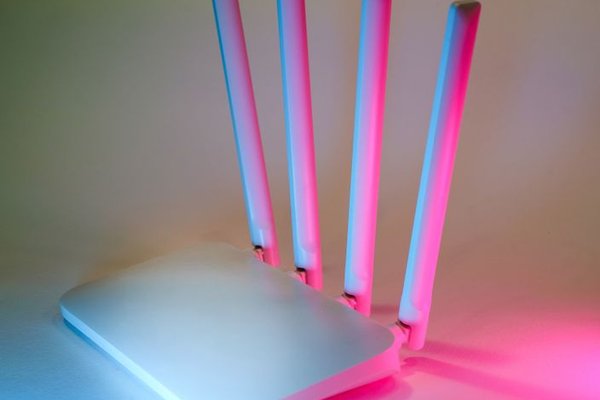
Shopping for a home router can make Wi-Fi 6 and Wi-Fi 6E sound like two dramatically different generations. They are closely related. Both use the efficient 802.11ax technology, but Wi-Fi 6E adds access to the 6 GHz frequency band. That extra band can make a meaningful difference in a busy home, particularly when compatible devices are close to the router. It is not, however, an automatic speed upgrade for every phone, laptop, or room.
Wi-Fi 6 vs Wi-Fi 6E at a Glance
The clearest comparison is about where each standard can operate, rather than a headline speed figure.
Wi-Fi 6 works on the familiar 2.4 GHz and 5 GHz bands. Wi-Fi 6E extends Wi-Fi 6 into 6 GHz, provided local regulations, the router, and the connecting device all permit it. On the same channel width and with comparable hardware, the two technologies have similar theoretical link-speed capabilities.
Why the 6 GHz Band Changes the Experience
Think of Wi-Fi channels as lanes on a road. A router may support fast connections, but overlapping neighboring networks can crowd the available lanes. This is common in apartment buildings, where numerous 5 GHz networks share limited spectrum.
Where the full 6 GHz allocation is available, Wi-Fi 6E has more room for wide 80 MHz and 160 MHz channels. That can reduce channel overlap and provide a cleaner connection for compatible devices. The exact number of available channels varies by country, so not every market receives the same amount of 6 GHz spectrum.
Does Wi-Fi 6E Actually Deliver Faster Speeds?
It can, especially if your current 5 GHz connection is congested or cannot consistently use a wide channel. A Wi-Fi 6E laptop connected over a clean 160 MHz channel might sustain better throughput than it would on a crowded 5 GHz channel.
But a Wi-Fi 6E label does not mean a higher maximum speed by itself. Wi-Fi 6 also supports 160 MHz channels on suitable equipment. Antenna count, signal strength, router processing, channel width, and the capabilities of your device all influence the result.
Internet speed is a separate limit. If your broadband plan delivers 100 Mbps and your Wi-Fi 6 connection already handles that reliably, moving to Wi-Fi 6E will not turn the connection into gigabit internet. You may notice improvements when transferring large files across your home network, even if website downloads remain unchanged.
Coverage: The Trade-Off Many Buyers Miss
Higher frequencies generally lose signal strength faster through distance and obstacles. That means 6 GHz Wi-Fi is often best in the same room or nearby rooms, while 2.4 GHz remains useful farther away and through more walls. A strong 5 GHz connection may outperform a weak 6 GHz one.
Picture a two-story house with the router downstairs. An upstairs bedroom separated by thick walls might receive excellent 5 GHz coverage but unreliable 6 GHz coverage. Buying a more expensive 6E router alone would not fix the layout. Better access-point placement or a wired-backhaul mesh system could be the more effective upgrade.
For a deeper look at coverage choices, a home router placement guide and a comparison of mesh Wi-Fi versus extenders are useful next reads.
Device Compatibility and Security
To connect at 6 GHz, you need a router or access point with Wi-Fi 6E or suitable newer 6 GHz support, plus a compatible phone, laptop, or other client. A regular Wi-Fi 6 device cannot gain 6 GHz access through a software setting alone.
Most Wi-Fi 6E routers continue to serve older devices over 2.4 GHz and 5 GHz. Your smart plugs, older television, and previous-generation laptop should not need replacing simply because you upgrade the router. Check the individual product’s specifications rather than assuming every device can use every band.
Security settings can surprise users too. Wi-Fi 6E connections on 6 GHz use newer security requirements, including WPA3-Personal for typical home networks; legacy WPA2-only clients cannot join that 6 GHz network. Those devices can usually remain on an appropriately configured 2.4 GHz or 5 GHz network.
A Practical Apartment Example
Suppose you work from a small apartment with a Wi-Fi 6E laptop, an older phone, and several smart-home gadgets. Evening video calls become unstable when nearby apartments are streaming. Before buying anything, check whether your laptop actually supports 6 GHz and whether the router offers a dedicated 6 GHz network.
If both support it, connect the laptop to 6 GHz while leaving older devices on their existing bands. Compare performance from your desk at the same times of day, checking call stability, local file-transfer speed, and responsiveness rather than relying on one internet speed test. If the desk is two rooms away, also test 5 GHz; it may provide the stronger connection.
Which Standard Should You Choose?
Choose Wi-Fi 6 When Value and Coverage Come First
Wi-Fi 6 remains a sensible choice when most of your devices use 2.4 GHz or 5 GHz, nearby networks are not causing obvious congestion, or your budget would be better spent on better placement and coverage. A well-designed Wi-Fi 6 mesh setup can deliver a better whole-home experience than one premium router in a poor location.
Choose Wi-Fi 6E When You Can Use 6 GHz
Wi-Fi 6E is more compelling if you own multiple compatible devices, live in a crowded wireless environment, frequently transfer large files locally, or have demanding activities close to the access point. Compare the router’s actual radios, Ethernet ports, coverage, and price rather than buying based on the 6E name alone.
Also check prices for Wi-Fi 7 hardware. Newer models can support 6 GHz as well, although their additional features require compatible clients. A reasonably priced Wi-Fi 6E system can still be the better purchase if those extras offer no practical benefit in your home.
Frequently Asked Questions
Is Wi-Fi 6E better than Wi-Fi 6 for gaming?
It may provide a steadier connection when a compatible gaming device is near the router and the 5 GHz band is crowded. It cannot eliminate latency caused by your broadband service or distant game servers.
Will a Wi-Fi 6 phone connect to a Wi-Fi 6E router?
Yes, provided the router also broadcasts a compatible 2.4 GHz or 5 GHz network. The phone will not connect using 6 GHz unless it specifically supports that band.
Does Wi-Fi 6E have a longer range?
No. Its 6 GHz signal generally faces a greater coverage challenge than lower-frequency connections, especially through walls. Router placement and access-point layout remain essential.
Do I need faster internet to benefit from Wi-Fi 6E?
No. Cleaner local wireless connections can help with home file transfers and congestion even on a modest broadband plan. Faster internet only helps when the internet connection itself is the limiting factor.
Final Thoughts
The real Wi-Fi 6 vs Wi-Fi 6E decision comes down to whether an additional 6 GHz band solves a problem you actually have. Wi-Fi 6 is efficient, capable, and compatible with a wide range of devices. Wi-Fi 6E adds valuable room to breathe for supported equipment, especially at shorter distances in crowded environments. Start with your devices, floor plan, and current connection problems; the right upgrade should follow from those facts.