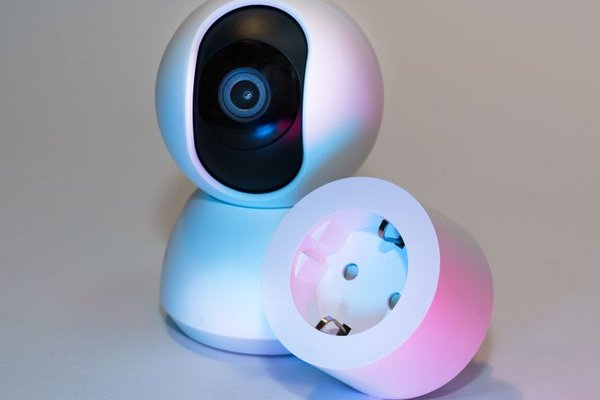
A smart plug can make an ordinary lamp feel like part of a connected home, without replacing the lamp or rewiring anything. Plug it into a wall outlet, connect it to its companion app, and you can switch power remotely or set a schedule. That simple trick opens up practical smart plug uses at home, especially for devices you already own.
The useful question is not “What can I connect?” but “Which device would benefit from having its power switched automatically?” Start there, and smart outlet automation becomes less about gadgets and more about routines that save effort.
First, check whether the appliance can restart by itself
Before buying several plugs, try a quick test. Turn the device on, disconnect it from the wall, then reconnect it. Does it resume working without pressing another button? A lamp with a physical switch often does. An appliance with a touch-sensitive power button often does not.
This matters because a smart plug controls electricity to the outlet, not the appliance’s internal settings. It cannot press a button, select a fan speed, or start a programmed cycle. Check the plug’s electrical rating and the appliance manufacturer’s instructions, too.
Smart plug ideas for everyday rooms
Make lamps follow your evening schedule
Lighting is one of the simplest wins. Put a living-room lamp on a smart plug and schedule it to turn on shortly before sunset, if the app supports sunrise and sunset triggers. Set another event to switch it off at bedtime. You get consistent lighting without walking across the room every evening.
For a bedroom, a bedside lamp can switch on at a chosen time as part of a morning routine. Test the schedule before relying on it as a wake-up cue. If you need dimming or color changes, a compatible smart bulb is usually the better choice.
Control a compatible desk or pedestal fan
A fan with a mechanical switch may be a candidate for timed operation. For example, you could schedule a desk fan to switch off after a work session instead of leaving it running all evening. Test whether it resumes at the selected setting when power returns.
Fans contain motors, so do not assume every plug is suitable. Check the smart plug’s motor-load limits, not just its headline wattage, and follow both manufacturers’ guidance.
Give decorative lights a reliable bedtime
String lights, illuminated signs, and seasonal decorations can be easy to forget. An appropriate smart plug can keep compatible lighting on a schedule. Outdoor installations need equipment rated for outdoor exposure and suitable weatherproof connections.
Some apps offer randomized lighting patterns, but lighting alone should not be treated as a security system. The bigger benefit is knowing the lights will not remain on until morning.
Switch off a home-office accessory
Consider a desk lamp or another compatible, nonessential accessory that normally remains plugged in. A scheduled shutoff can give your workday a clear finish. A model with energy monitoring can also show how much electricity a connected item uses.
Keep computers, storage devices, routers, and equipment requiring a proper shutdown off automatic cutoff schedules. Removing power abruptly may interrupt updates, cause data loss, or disrupt connectivity. A guide to reducing standby power at home can help identify better candidates.
Set sensible charging windows
For an ordinary charger that its manufacturer permits you to switch at the outlet, a plug can provide a convenient manual cutoff or time window. This may help when a charging station is hard to reach.
However, a timer does not replace built-in battery protection or know when a battery is full. Avoid assuming timed charging will substantially lower your electricity bill: a smart plug also consumes some power.
Build routines around moments, not just clock times
The most satisfying smart plug routines usually support something you already do. Rather than automate every socket, choose one repeatable moment: arriving home, starting work, or getting ready for bed.
Imagine your weekday evening. At 6:30 p.m., a reading lamp turns on. At 10:15 p.m., decorative lights switch off. At 11:00 p.m., the reading lamp follows. Each action is uncomplicated, and none requires a new habit. Check the app’s scheduling features and time-zone settings before relying on it.
Some plugs work with compatible voice assistants or smart-home platforms, allowing scenes that coordinate several devices. Compatibility depends on the model, ecosystem, and network. A beginner’s guide to smart home routines can help you decide when scenes are worth setting up.
Where smart plugs are the wrong tool
A smart outlet should never turn an unsafe appliance into an unattended one. Avoid automating space heaters, irons, hot plates, kettles, or similar heat-producing equipment without explicit manufacturer authorization and appropriate supervision. Electrical-safety guidance says portable space heaters should plug directly into wall outlets and never be left unattended.
Likewise, avoid automatic power interruption for refrigerators, freezers, medical equipment, aquariums, security systems, and anything whose shutdown could create a safety or property risk. Large motor-driven devices may draw a brief startup current above a smart plug’s rating.
A smart plug is not a surge protector, voltage stabilizer, or universal energy-saving device. Its job is controlled switching. For broader context, explore how to choose reliable smart home devices.
What to check before choosing a plug
Look for the correct socket type and voltage for your country, a suitable electrical certification, and a load rating that covers the appliance. Confirm compatibility with your Wi-Fi network or chosen smart-home system; many Wi-Fi plugs use 2.4 GHz networks.
Also consider what happens after a power cut. Some plugs restore their previous state; others default to off or offer a configurable setting. Test this with a harmless lamp, never a critical device. If internet or Wi-Fi access fails, remote commands and cloud routines may stop working, even if some locally stored schedules continue.
Frequently asked questions
Can a smart plug make any appliance smart?
No. It switches outlet power but cannot operate an appliance’s controls. Devices that require a separate button press after power returns may not restart automatically.
Do smart plugs save electricity?
They can reduce unnecessary running time or standby consumption. Savings depend on the appliance, schedule, and plug’s own power use; they are not guaranteed.
Will a smart plug work if the internet goes down?
That depends on the model. Remote access and cloud automations may fail, while physical buttons or certain local schedules may still work. Check the manufacturer’s documentation.
Can I use one with a power strip?
Only if both manufacturers allow it and the total load remains within all ratings. Never use the arrangement to bypass safety limits or power high-load appliances.
Start with one useful change
The best smart plug uses at home are the ones you stop thinking about: a lamp ready when you need it, decorative lighting that turns itself off, or a compatible accessory that no longer runs unnecessarily. Pick a low-risk device, test its restart behavior, and build one reliable routine before expanding. Good automation should make a room easier to live in, not harder to manage.